
How do I replay a chart to practise?
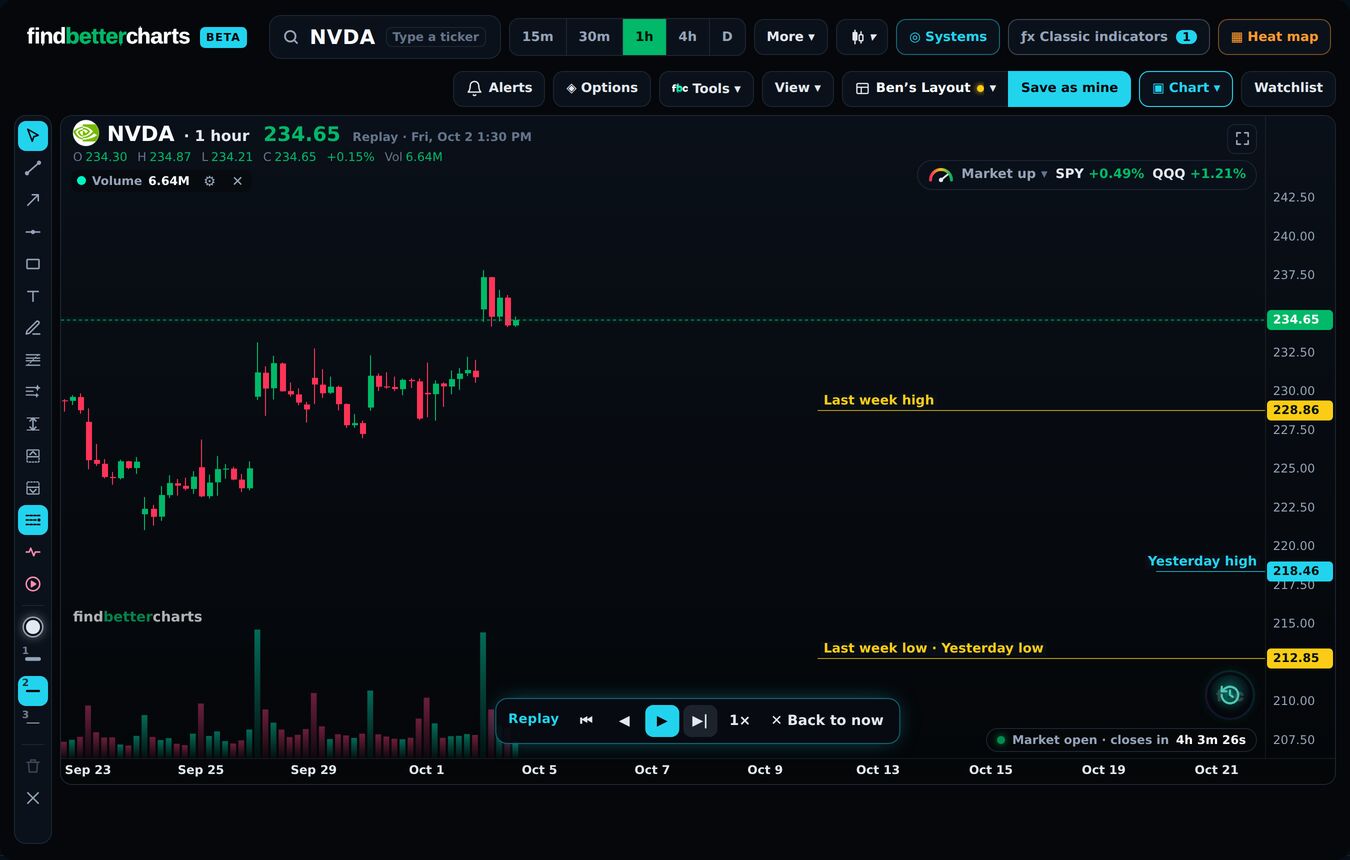
Quick answerScroll the chart back to where you want to start, then View → Replay. Step forward one candle at a time, or press play.
The details
- Scroll the chart back to where you want to begin.
- Open View at the top and press Replay. It starts from where you are looking.
- Use the bar at the bottom: |◂◂ back to the start, ◂ one candle back, ▸ play, ▸| one candle forward, 1× the speed.
- ✕ Back to now (or Esc) when you are done.
A good way to practise
Pick a setup you trade and start just before it formed. Decide where you would get in and where you would be wrong (mark it with the Long position tool), then step forward and check yourself.
Did this answer your question?

Talk to Micheal and the teamMembers: sign in and open Support, and Micheal and the team answer by email. Not a member yet? Email support@findbettertrades.com.