
How do I keep my favourite stocks one tap away?
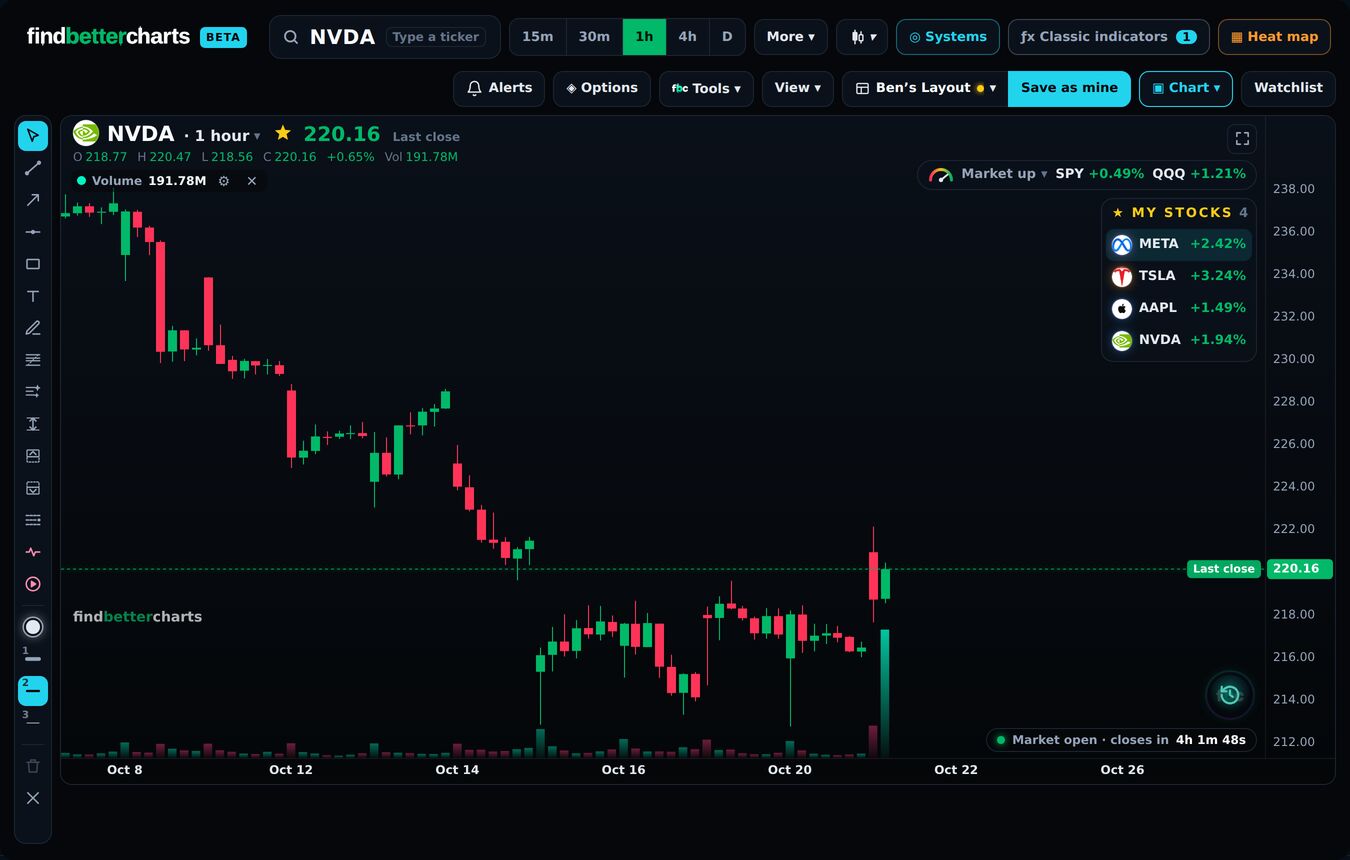
Quick answerPress the ☆ by the ticker. The stock joins My stocks at the top right, with its move today; tap one to open its chart.
The details
My stocks
- Press the ☆ next to the ticker at the top left of the chart. It turns gold.
- The stock joins My stocks at the top right, with its move today.
- Tap one there to open its chart. They are also a list in your watchlist.
Recent tickers
The wheel at the bottom right holds the tickers you looked at last. Click it, then scroll, or hold the dot and slide to one, to jump between charts fast.
Did this answer your question?

Talk to Micheal and the teamMembers: sign in and open Support, and Micheal and the team answer by email. Not a member yet? Email support@findbettertrades.com.