
Where are Live Pulse, Pulse replay, Replay and Key levels?
Quick answerLive Pulse, Pulse replay and Key levels are under Tools at the top of the chart. Replay is under View.
The details
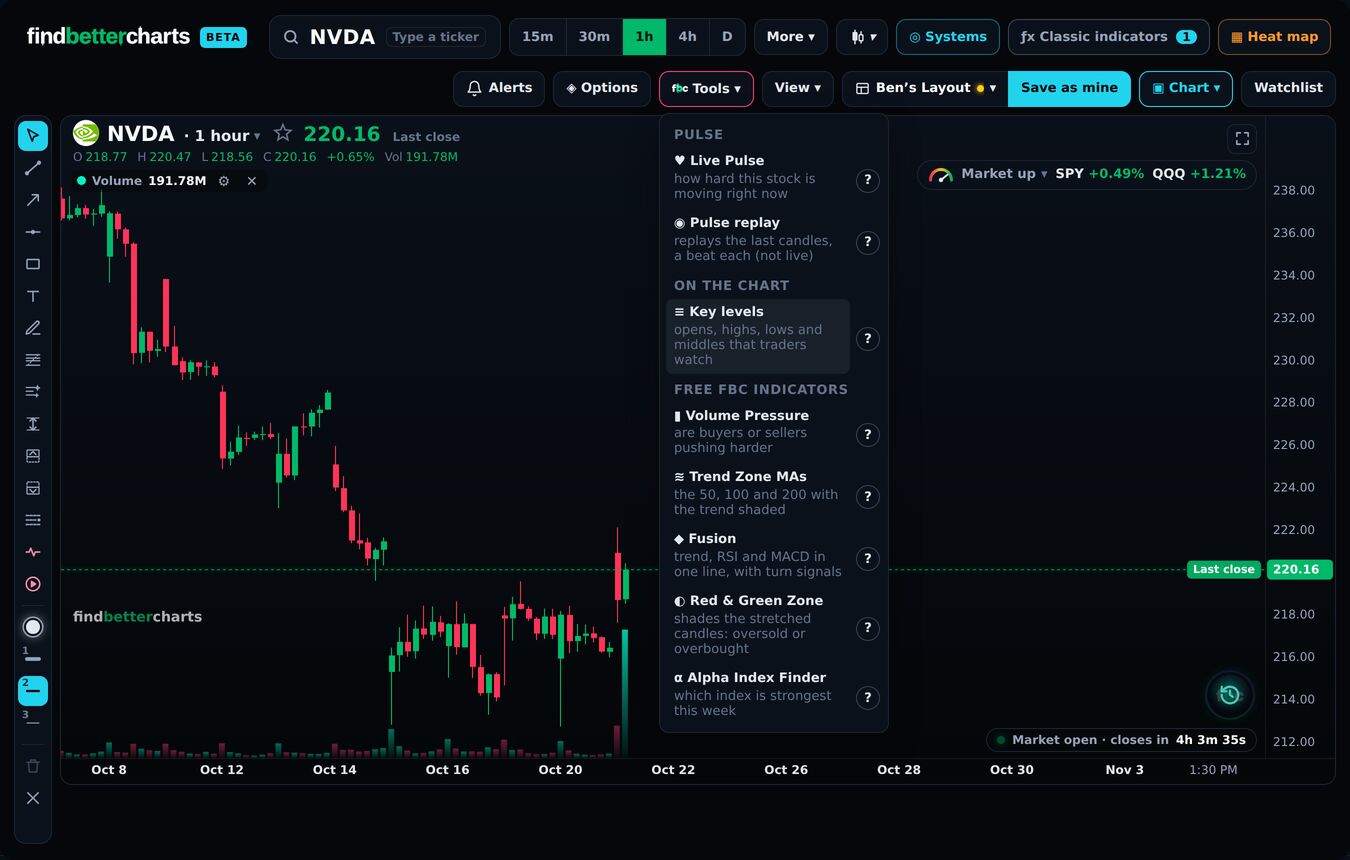
Tools (top right)
Our own Find Better Charts tools: Live Pulse, Pulse replay, Key levels and the free FBC indicators (Volume Pressure, Trend Zone MAs, Fusion, Red & Green Zone, Alpha Index Finder).
Live Pulse and Pulse replay also have their own buttons on the left, under the drawing tools: the heartbeat line is Live Pulse, the ▶ in a circle is Pulse replay.
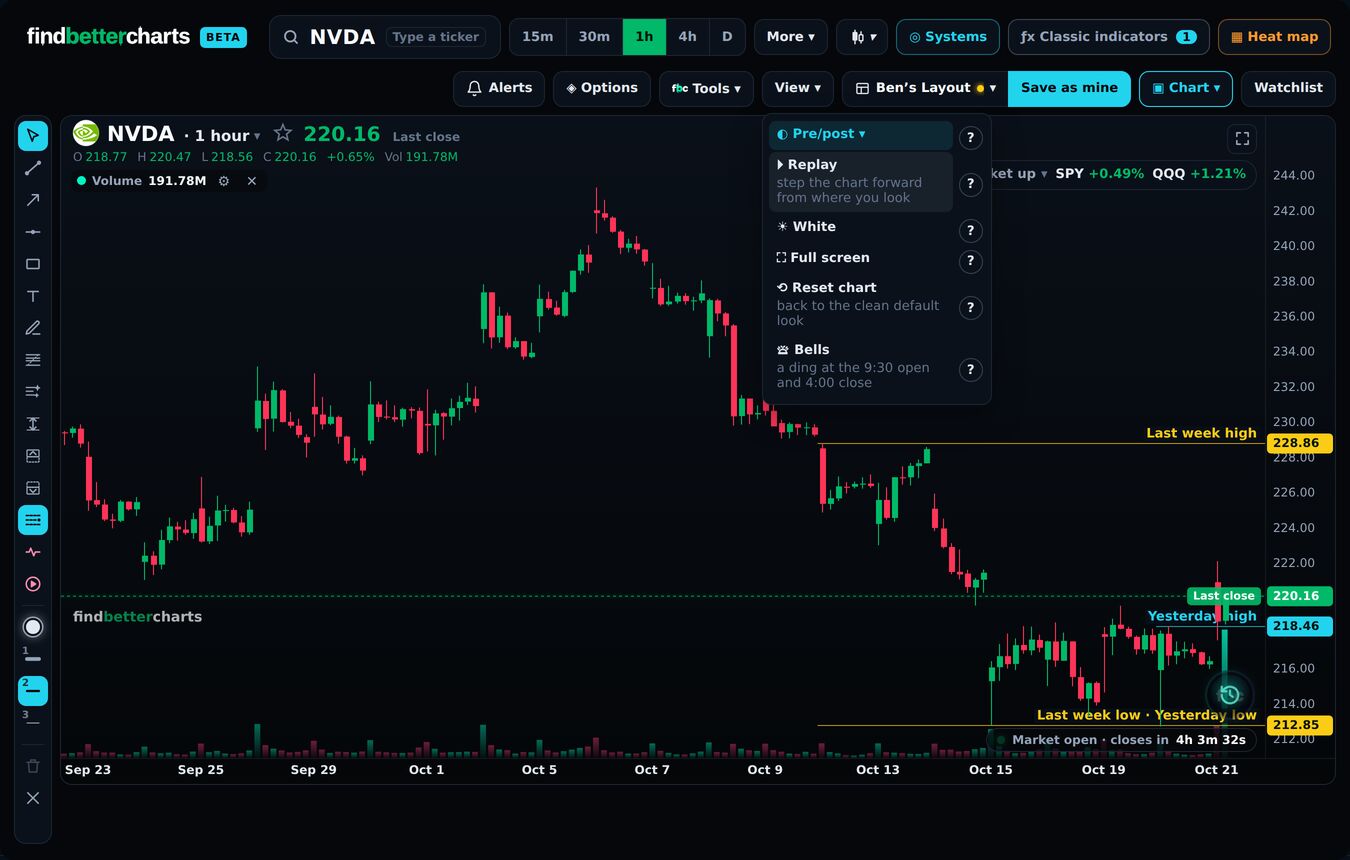
View (next to Tools)
Pre/post market, Replay, White (a white chart), Full screen, Reset chart and the market Bells.
On a phone
They are all under ⋯ in the bar at the top.
Every one of them has a ? beside it: tap it for what it does, and a video where there is one.
Did this answer your question?

Talk to Micheal and the teamMembers: sign in and open Support, and Micheal and the team answer by email. Not a member yet? Email support@findbettertrades.com.