
How do I turn on Key levels, and what do they show?
Quick answerOpen Tools at the top of the chart and press Key levels. It draws the prices traders watch: yesterday's high, low and middle, today's open, last week's and last month's levels.
The details
- Open Tools at the top of the chart.
- Press Key levels. Press it again to hide them.
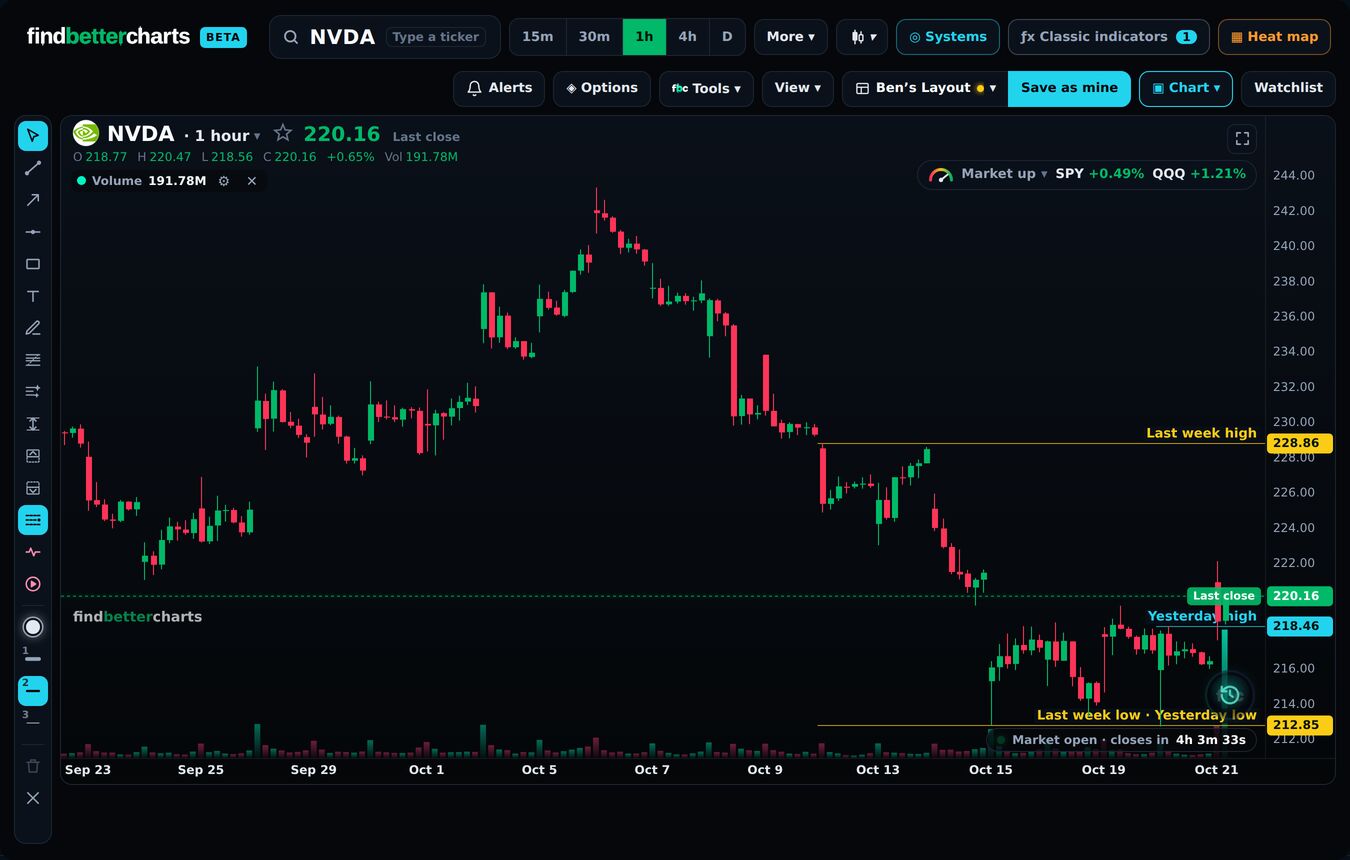
What it draws
- Today: today's open.
- Yesterday: the high, the low and the middle.
- This week: the week's open, and Monday's high and low.
- Last week: the high, the low and the middle.
- Month and quarter: each one's open, and last month's high and low.
Each line is named where it starts, with its price on the right. Free for every member.
Why they matter
Price often stalls or turns at them. The next level up is a natural target; a stop goes past the level below; and how price reacts at a level (holds or breaks) tells you who is in control.
Did this answer your question?

Talk to Micheal and the teamMembers: sign in and open Support, and Micheal and the team answer by email. Not a member yet? Email support@findbettertrades.com.